How to buy a Voucher online:
Once you’ve chosen the kind of Voucher you want, select ‘Add To Cart’, which will direct you to this form:
1
(We ask for these details to ensure the recipient is in our data base or, if they’re new, to create an account to add your gift to, so they’ll be ready to book with us!)
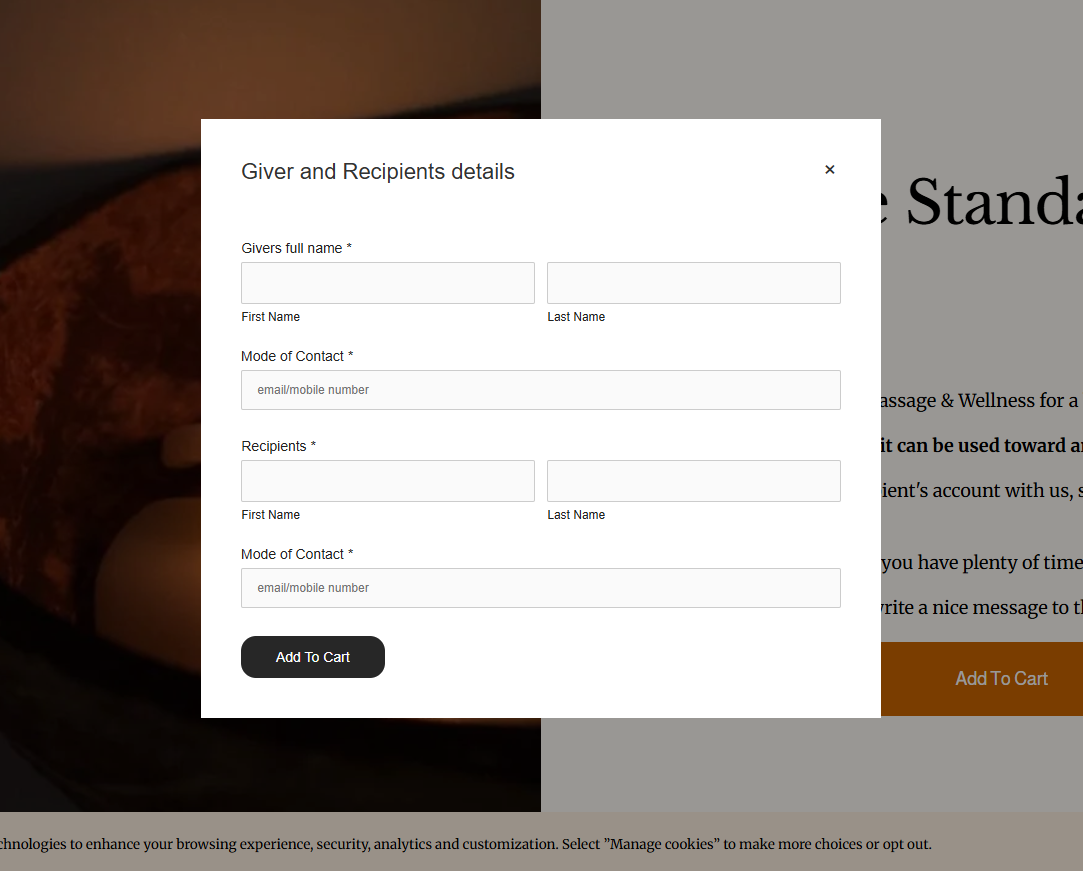
After filling in the form, the Voucher will be located in the top right corner in ‘Cart’. From cart click ‘Check out’ where you’ll pay.
2
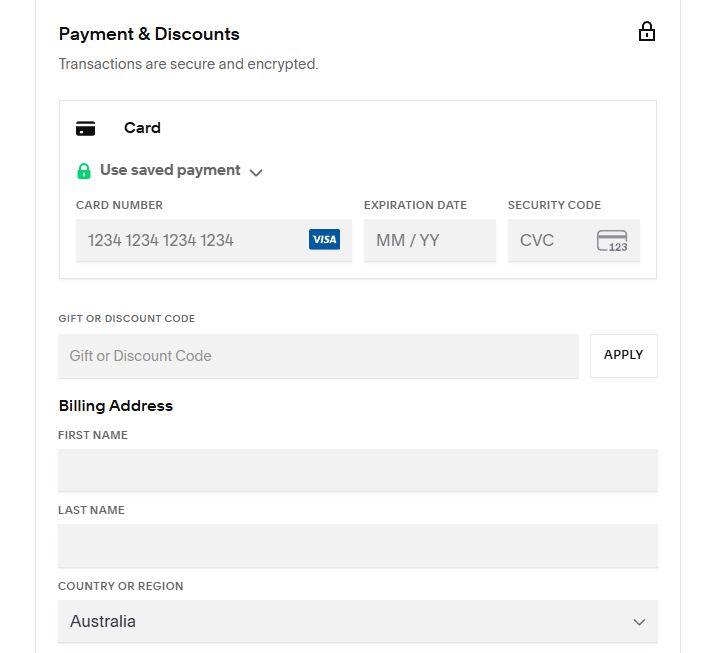
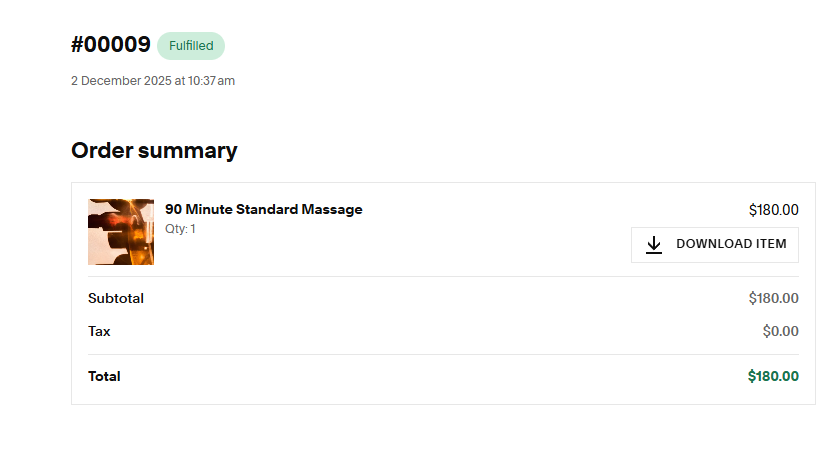
Once the payment has been made you will be able to download the Voucher and customise it as you please (see point 5)
3
4
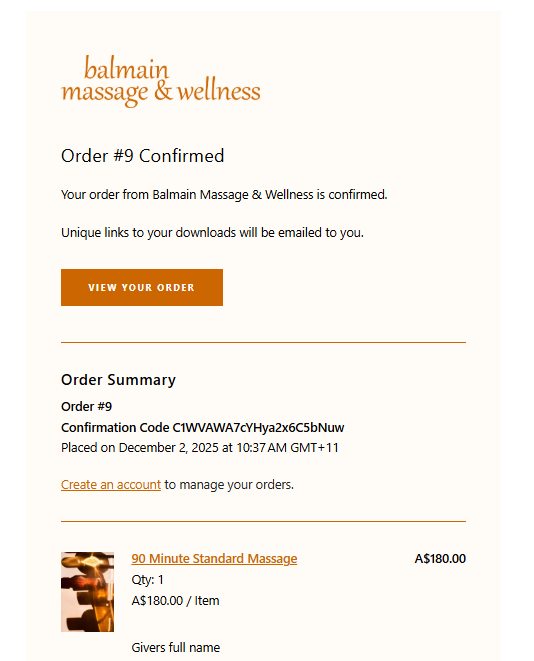
If you need to download the Voucher again, you can find it in your emails as such:
(Click ‘View Your Order’ and you can download it once again!)
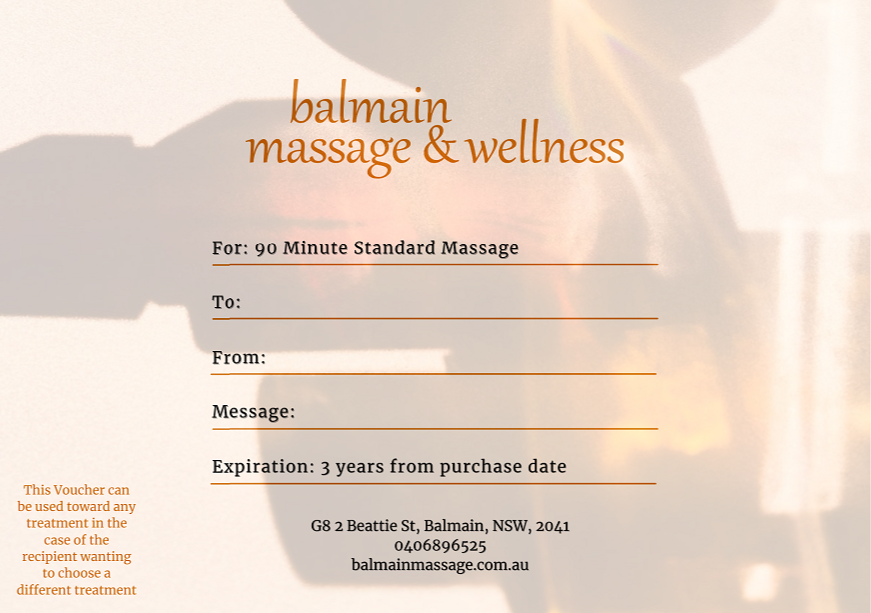
Once you get to the Voucher, you can personalise it with the recipient’s name and your own name as the donor and write a message.
5
When your recipient comes in to use the Voucher we will have it already recorded on their account on our Cliniko database (thanks to the form you filled - point 1), so no need to show it, we’re all digital here!
6

You’ve received one of our gift vouchers, either bought online and sent by email or a physical one - congratulations! You’re in for a great experience.
By now, your gift voucher has already been credited to your account with us, if you’ve seen us before, or to a new account we created for you.
You will have plenty of time to use it, as our vouchers will not expire for three years from the date of issue. Occasionally, as part of a promotion, we may issue vouchers with a shorter expiry date; but the expiry date will be very clearly marked on the voucher itself.
You might have been gifted a particular treatment, however you may choose any type of massage, wellness or package and use your voucher to pay for it. Or you may use your voucher as part-payment for a more expensive treatment, or you may use it only in part and the balance will be credited to you for a subsequent treatment. In other words, it’s like money in your account, with only one important difference: vouchers are not redeemable for cash, so we will not refund to you any unused amount, but you can use the balance next time.
When you’re ready, press the button to book!
How to use our gift vouchers
Please be aware that same day cancellations or no shows will result in forfeiting the voucher’s value equivalent to the value of the missed session. Booking a session implies acceptance of these T&C.